

Welcome
Free gift ladders, buy X get Y and quantity tiers for Shopify, with a gift bar in the cart. Every rule is checked again at checkout.
Getting started
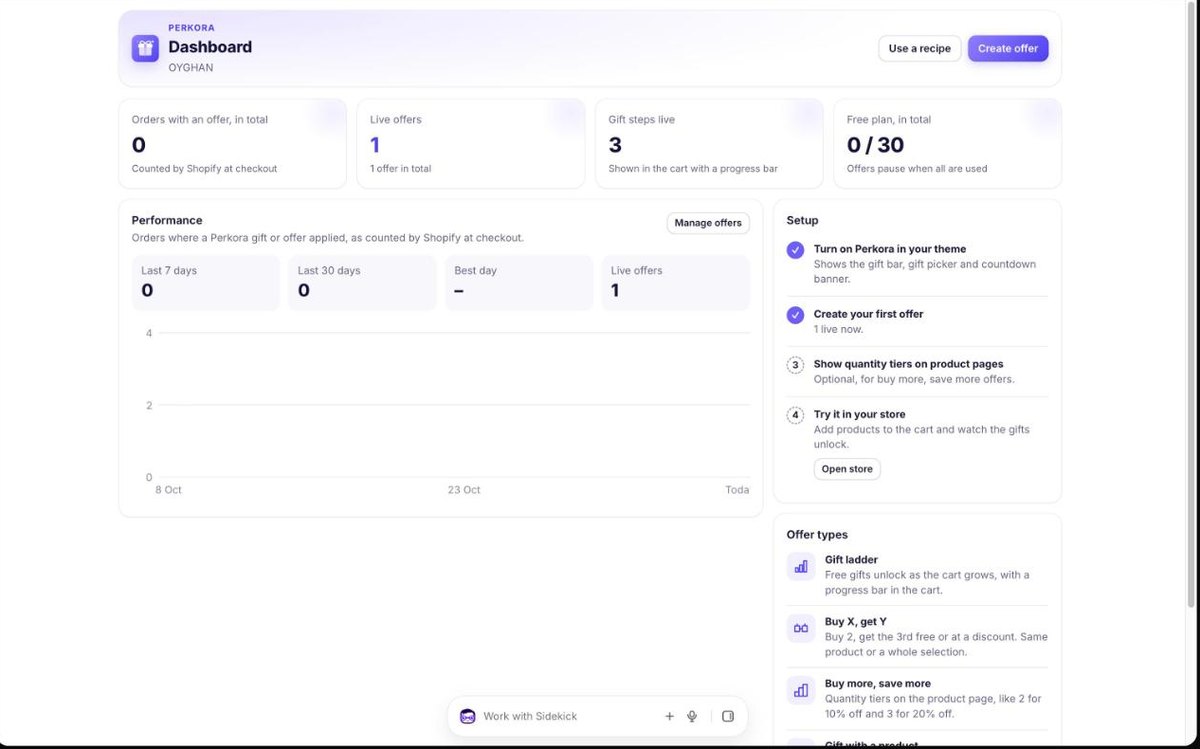
- Install the app. Open Perkora from Apps in your Shopify admin. It opens on the Dashboard.
- Turn on Perkora in your theme. On the Dashboard click Turn on. The theme editor opens with Perkora switched on under App embeds. Click Save – no code needed.
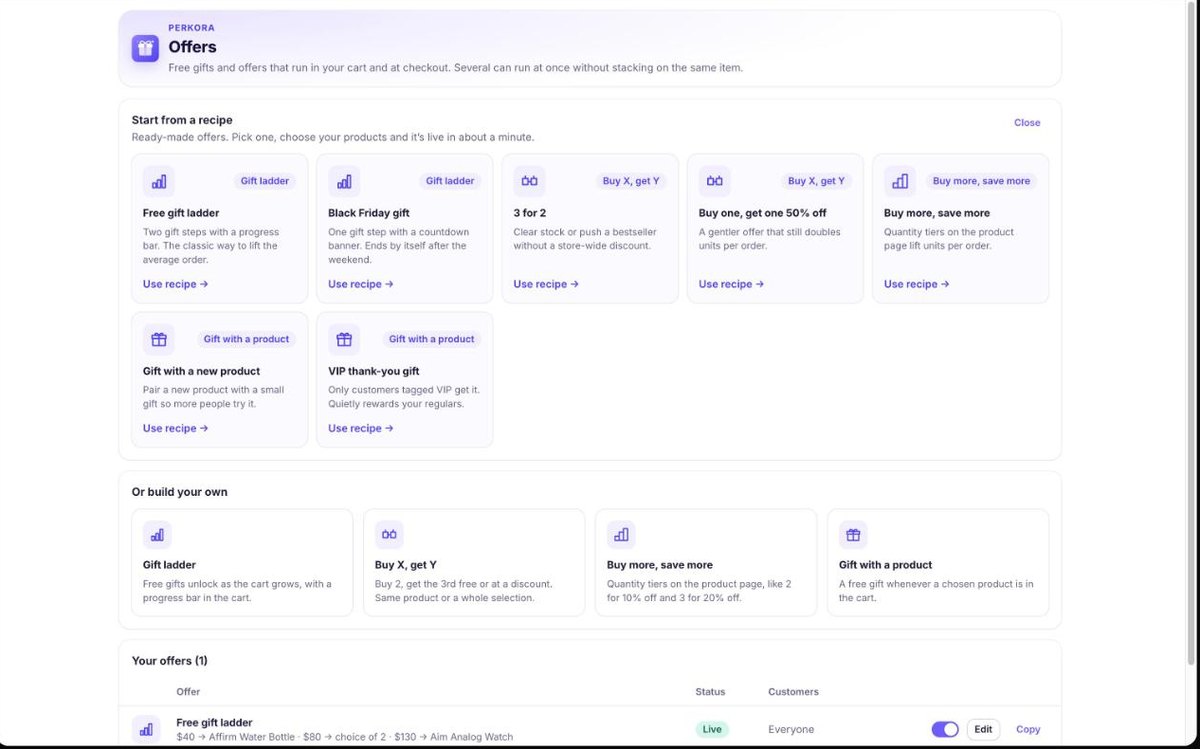
- Create your first offer. In Offers pick a recipe, for example Free gift ladder. Choose the gift products and save. The offer is live at once.
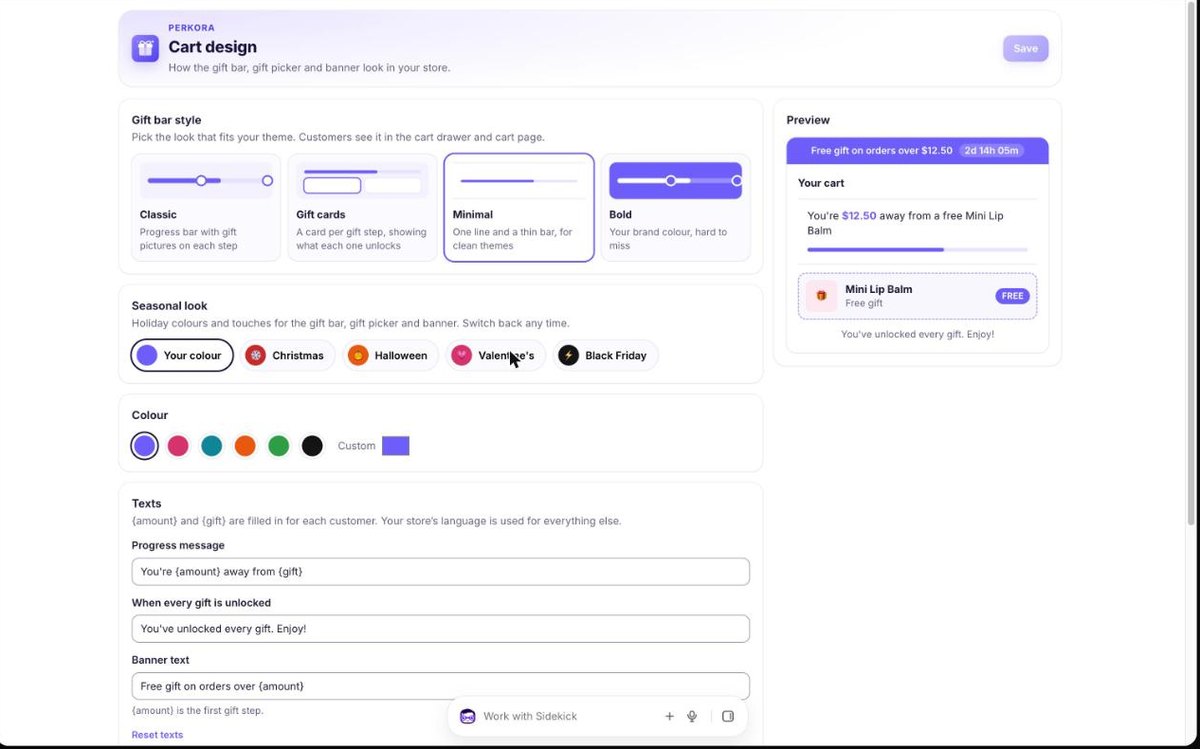
- Choose the look. In Cart design pick a gift bar style (Classic, Gift cards, Minimal or Bold), your colour, a seasonal look and the texts.
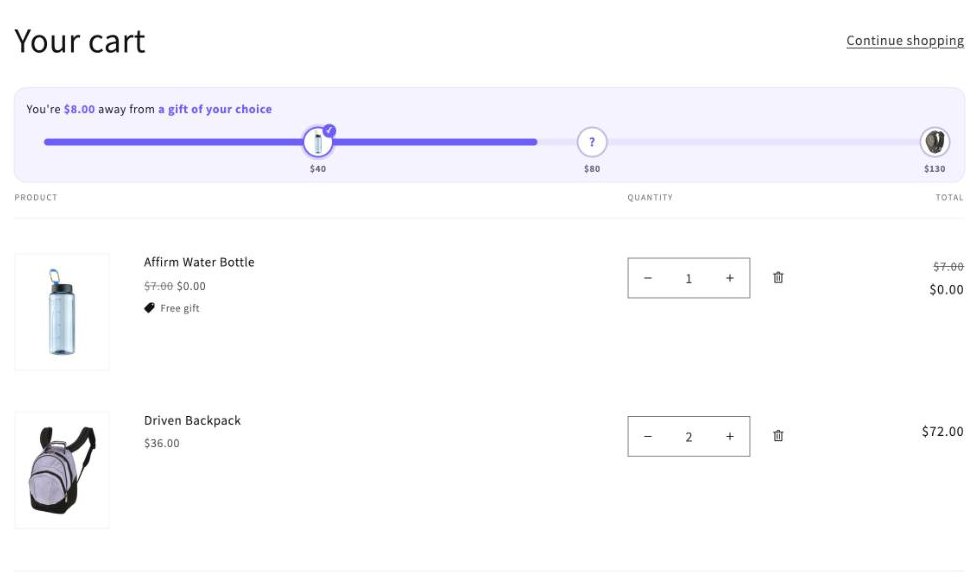
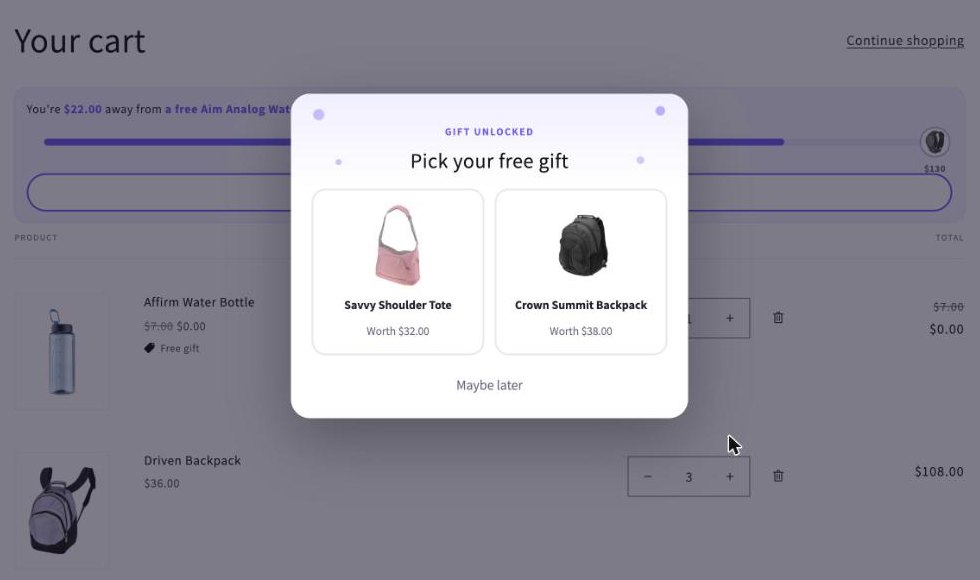
- Check it in your store. Add products to your cart. The gift bar fills up, gifts are added by themselves and checkout shows them as free.
Gift ladder
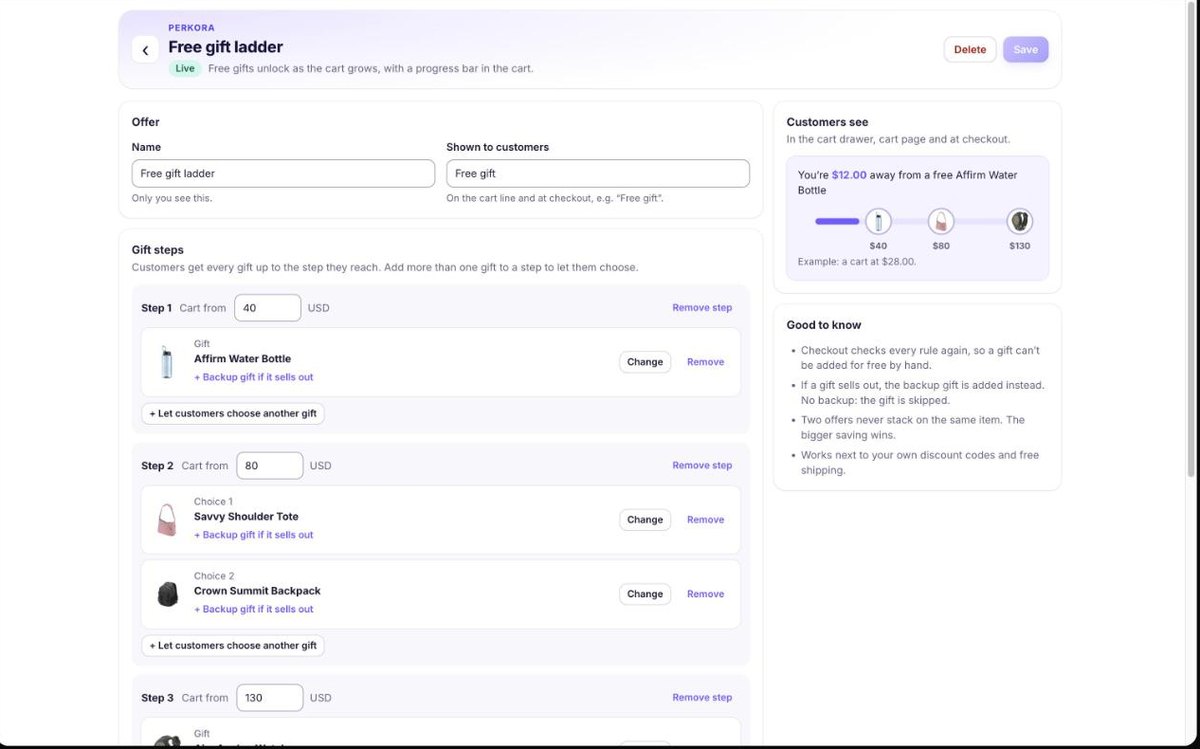
Gifts unlock as the cart grows. Each step has a cart amount and one or more gifts.
One gift on a step: it is added to the cart by itself when the cart reaches the amount.
Two or more gifts on a step: customers choose. A picker opens when the step unlocks, and the cart shows a “Choose your free gift” button.
Customers get every gift up to the step they reach. If the cart drops below a step, that gift is removed again.
The cart amount counts paid items only, before discounts. Gifts don’t count towards it. Only one gift ladder runs at a time.
Buy X, get Y
For example 3 for 2 (buy 2, get the 3rd free) or buy one, get one 50% off.
Pick the products that count. Variants and different products in the selection count together.
The cheapest qualifying items get the discount. When a customer is one item short, the cart says so.
Buy more, save more
Quantity tiers such as 2 for 10% off and 3 for 20% off, shown as choices on the product page.
Create the offer in Offers, then add the “Perkora quantity tiers” block to your product page in the theme editor (the Dashboard has an Add block button).
The block shows only on products in a live offer. Choosing a tier sets the quantity; the saving shows in the cart and at checkout.
Gift with a product
A free gift whenever a chosen product is in the cart, for example with a new launch or a bestseller.
Combine it with “Customers tagged VIP” to reward regulars only.
Backup gifts and stock
Perkora checks the gift’s stock in your store before adding it.
Add a backup gift to any gift: if the gift sells out, the backup is added instead. Without a backup, a sold-out gift is skipped.
In a gift choice, sold-out gifts are shown as Sold out and can’t be picked.
Customers and schedules
Choose Everyone, Signed-in customers or Customers tagged VIP. Tag customers VIP in Shopify; they see the offer when signed in.
Give an offer a start and an end. It starts and stops by itself, and the store banner shows a live countdown while it runs.
Cart design
Gift bar styles: Classic, Gift cards, Minimal or Bold. Seasonal looks: Christmas, Halloween, Valentine’s and Black Friday.
Pick your brand colour and change the texts. {amount} and {gift} are filled in for each customer.
The gift bar is added to your cart drawer and cart page by itself. To place it yourself, turn that off and add the “Perkora gift bar” block.
Plans and billing
Free: 30 offer orders in total, then offers pause until you pick a paid plan. Starter $29.99 (300 a month), Growth $49.99 (600 a month, priority support), Pro $109.99 (2,000 a month, setup help).
Every feature in every plan, on any Shopify plan. Over a paid plan’s orders, offers keep running and nothing extra is charged. Yearly billing gives 2 months free.
An offer order is an order where a Perkora gift or offer applied at checkout, as counted by Shopify.
Removing Perkora
Uninstall Perkora from Apps in your Shopify admin. Its discount stops at once and the gift bar disappears. Nothing in your theme code needs cleaning up.
Contact
Questions or setup help: contact support or write to contact@loolon.com. A real person replies within one business day, and we set up the gift bar for unusual themes for free.